how to pack electronics correctly is one of the most critical skills for a modern move. From your work-from-home setup to your expensive home theatre system, these items are not only valuable but also fragile and essential to your daily life. Improper packing can lead to screen cracks, internal damage, and data loss. This guide provides a step-by-step process for protecting-gadgets-moving, ensuring every device arrives at your new home in perfect condition. Following these steps for electronics-moving-safety will give you peace of mind. For high-value or complex systems, the experts at metropolitan movers Ottawa can provide professional assistance.
Step Zero: Secure Your Digital Life Before You Pack
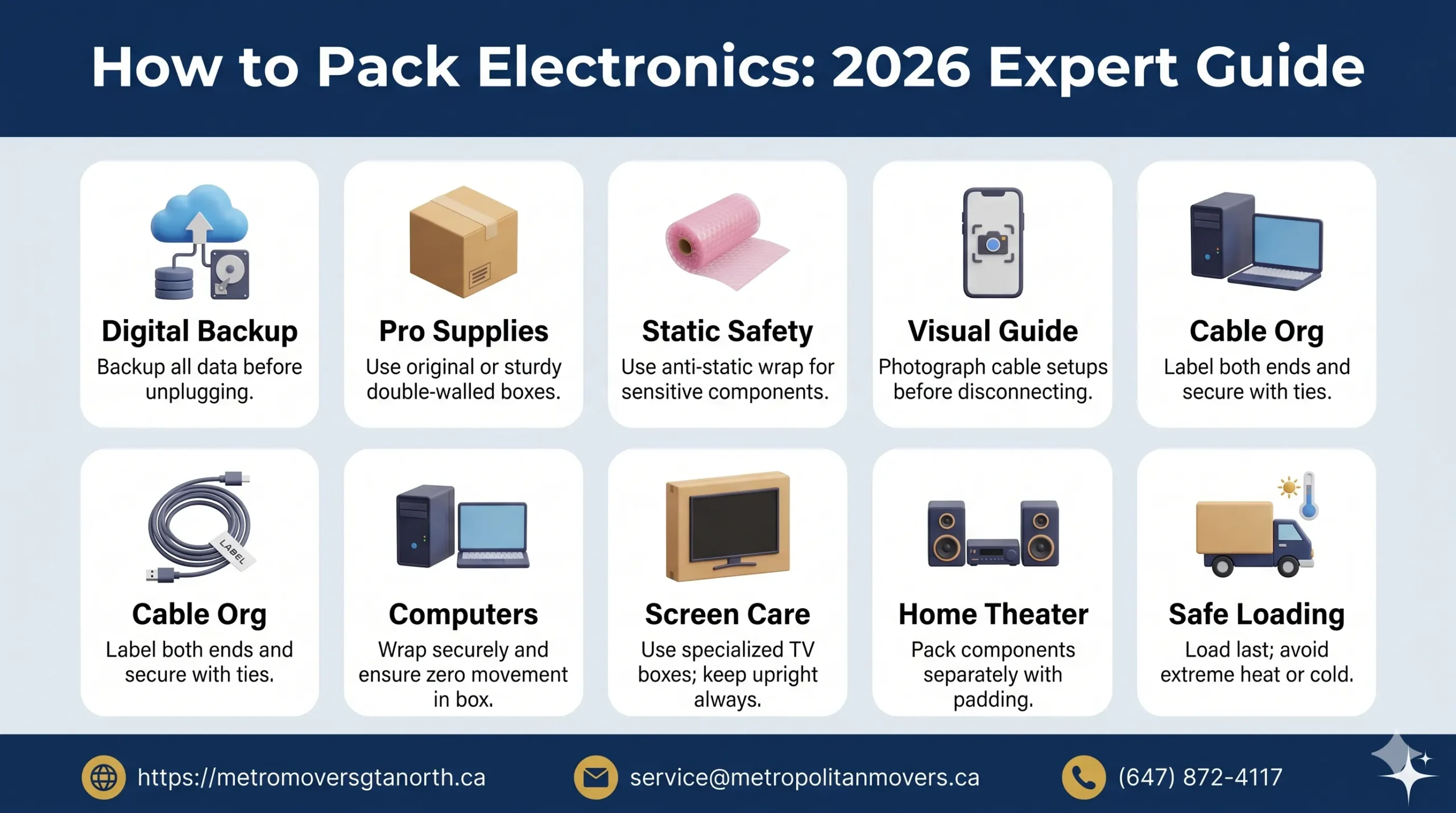
Before you unplug a single cord, the most important step in learning how to pack electronics is to back up your data. Physical damage is reversible with money, but lost files, photos, and documents can be gone forever.
- Computers & Laptops: Use a cloud service (like Google Drive, iCloud, or Dropbox) or an external hard drive to back up all your important files. For a complete backup, create a system image.
- Gaming Consoles: Ensure your game saves are synced to the cloud (PlayStation Plus Cloud Storage, Xbox network).
- Smartphones & Tablets: Perform a full backup to the cloud or your computer.
This pre-emptive step is the ultimate insurance policy and the foundation of proper fragile-electronics-care.
Gather the Correct Electronic Packing Supplies
Using the right materials is non-negotiable when you pack electronics for moving. Your standard moving boxes and newspaper won’t provide adequate protection.
- Original Packaging: The best option is always the original-packaging-moving box and foam inserts the device came in. These were custom-designed for a perfect, secure fit.
- Sturdy, Double-Walled Boxes: If you don’t have the original boxes, choose new, sturdy boxes that are slightly larger than the device.
- Anti-Static Bubble Wrap: This is essential. Standard plastic bubble wrap can create static electricity, which can fry sensitive electronic components. Anti-static-bubble-wrap is typically pink and is designed to dissipate static charges safely.
- Packing Paper & Foam Peanuts: Use these to fill all empty spaces in the box to prevent items from shifting.
- Cable Ties or Zip Ties: These are your best friends for packing-cables-organization.
- Packing Tape & Labels: Use high-quality tape to seal boxes securely and labels to clearly identify the contents. You can find all of these essential items in a comprehensive list of packing supplies you need.
The Art of Packing Cables and Accessories
A tangled mess of cables is a common moving headache. A systematic approach to packing-cables-organization will save you hours of frustration during setup.
- Take a Picture: Before you unplug anything, take a photo of the back of your TV, computer, or stereo system. This visual guide will be invaluable when you reconnect everything.
- Label Both Ends: Use masking tape and a marker to label both ends of each cable (e.g., “TV HDMI 1,” “Router Power”).
- Coil and Secure: Coil each cable neatly and secure it with a cable tie or zip tie. Do not wrap them tightly around your hand, as this can damage the internal wires.
- Pack Together: Place all the cables and accessories for a specific device (like the remote control and power cord) in a single, clearly labeled Ziploc bag. Then, pack this bag in the same box as the device itself. This is a key strategy when you pack electronics for moving.
Step-by-Step Guide to Packing Common Electronics
How to Pack Computers and Laptops
Desktops and laptops contain your most sensitive data and components.
- Power Down & Unplug: Shut down the computer completely (do not just put it in sleep mode). Unplug all peripherals and cables.
- Wrap Securely: Wrap the computer tower or laptop in anti-static-bubble-wrap, securing it with tape.
- Box It Up: Place the wrapped device in its original box or a snug-fitting double-walled box. Fill any gaps with packing paper. The goal is zero movement inside the box.
- Label Clearly: Mark the box “FRAGILE – COMPUTER” and indicate which side is up. For complex office setups, the team at metropolitan movers Ottawa has extensive experience with their dedicated office moving service.
How to Pack a Television or Monitor
Modern flat screens are incredibly delicate. This is where fragile-electronics-care is most important.
- Use a TV Box: A specially designed TV moving box is the best investment you can make. These are often adjustable and come with foam corner protectors.
- Wrap the Screen: Cover the screen with a soft blanket or a layer of anti-static bubble wrap.
- Secure in Box: Carefully slide the TV into the box. Use the foam protectors on all four corners. Ensure it is snug and cannot shift.
- Keep it Upright: TVs should always be transported and stored in an upright position. Laying them flat can put pressure on the screen and cause it to crack. Mark the box “FRAGILE – TV – KEEP UPRIGHT.”
Moving Home Theater and Audio Equipment
Your moving-home-theater system involves multiple components that need careful handling.
- Consult Manuals: For complex receivers or turntables, check the user manual for any moving-specific instructions, like securing a turntable’s tonearm.
- Pack Components Separately: Pack your receiver, speakers, Blu-ray player, and other components in individual boxes.
- Protect with Anti-Static Wrap: Wrap each component in anti-static-bubble-wrap. Pay special attention to speaker cones, which are easily damaged.
- Box and Label: Place each wrapped item in a well-padded box and label it clearly. This methodical approach is the best way to pack electronics for moving.
Transport and Electronic Device Storage
How you transport and store your electronics is just as important as how you pack them.
- Climate Control: Avoid exposing packed electronics to extreme heat or cold, as this can cause condensation and damage internal components. Never leave them in a non-climate-controlled storage unit for long periods.
- Load Last, Unload First: When loading the moving truck, put your electronics on last so they can be the first things taken off. This minimizes the risk of other items falling on them.
- Secure Transport: Ensure the boxes are placed securely on the truck where they cannot tip over or slide around. This is a key part of electronics-moving-safety.
For long-distance moves where items will be in transit for several days, using a professional service like metropolitan movers Ottawa ensures your high-value electronics are transported in a secure and professional manner. Their expertise in long-distance moving provides an extra layer of protection.
By following this detailed guide on how to pack electronics, you can ensure your valuable and essential devices are protected throughout the entire moving process, from data backup to final setup.